 CodeSculpt

Helping you make ends meet when everything costs more.
Household Finance 360 reads your bills from your inbox, warns you before they are due and shows what is safe to spend. Debts, savings, goals and tax papers sit beside them, and all of it stays on your own computer.
Free for 30 days with every feature. No account and no card needed. Windows 10 or 11, or macOS 11 or later.
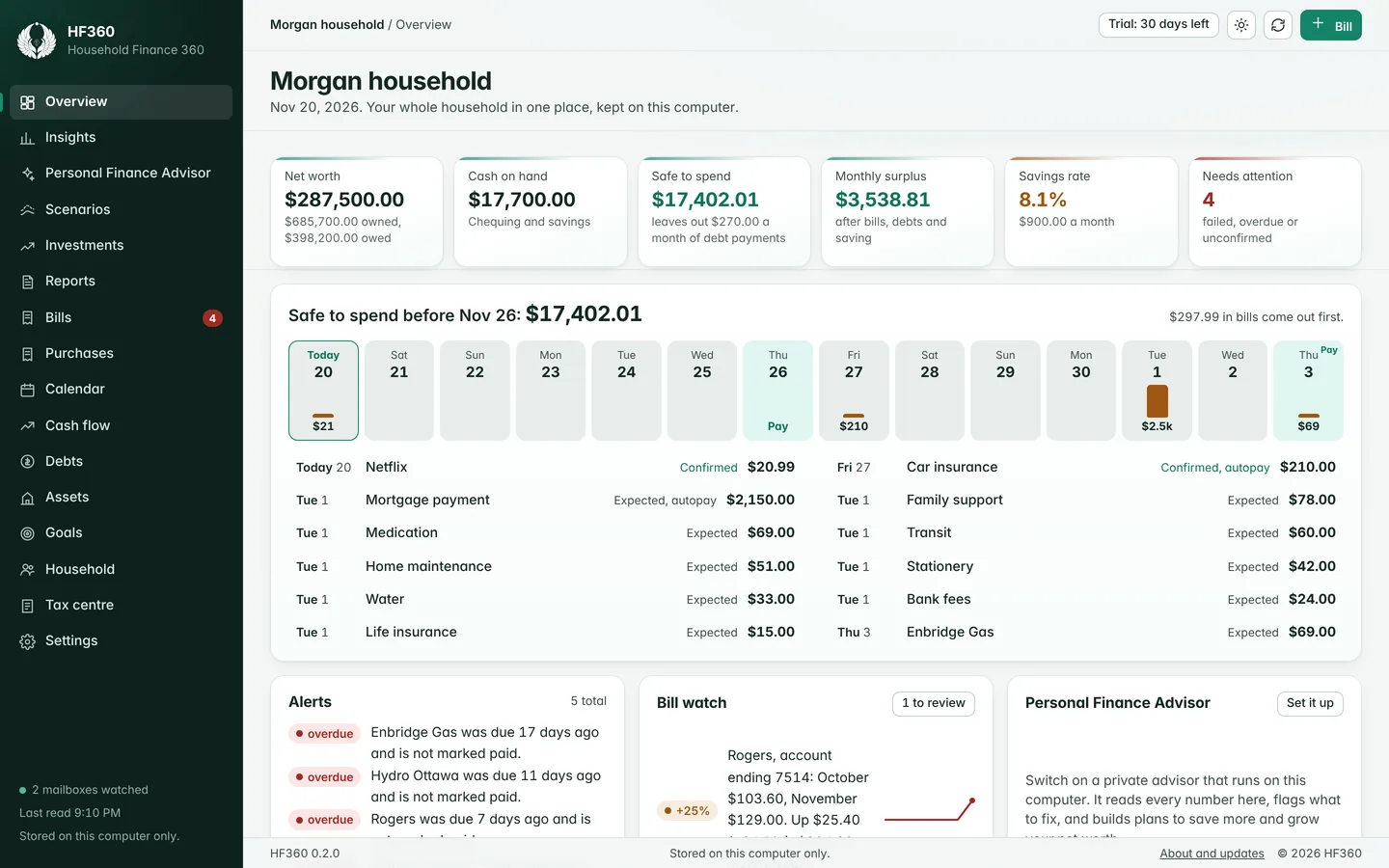
The household paperwork, done as it arrives.
Most budgeting tools start when you sit down to enter things. HF360 starts with what already lands in your inbox.
Bills that fill themselves in
Connect a Gmail mailbox and HF360 finds the bills from the senders you list. The amount and the due date come from the bill itself, so a bill that changes from month to month is always current.
Access is read-only and the reading happens on your computer. Each adult in the home can connect their own mailbox.
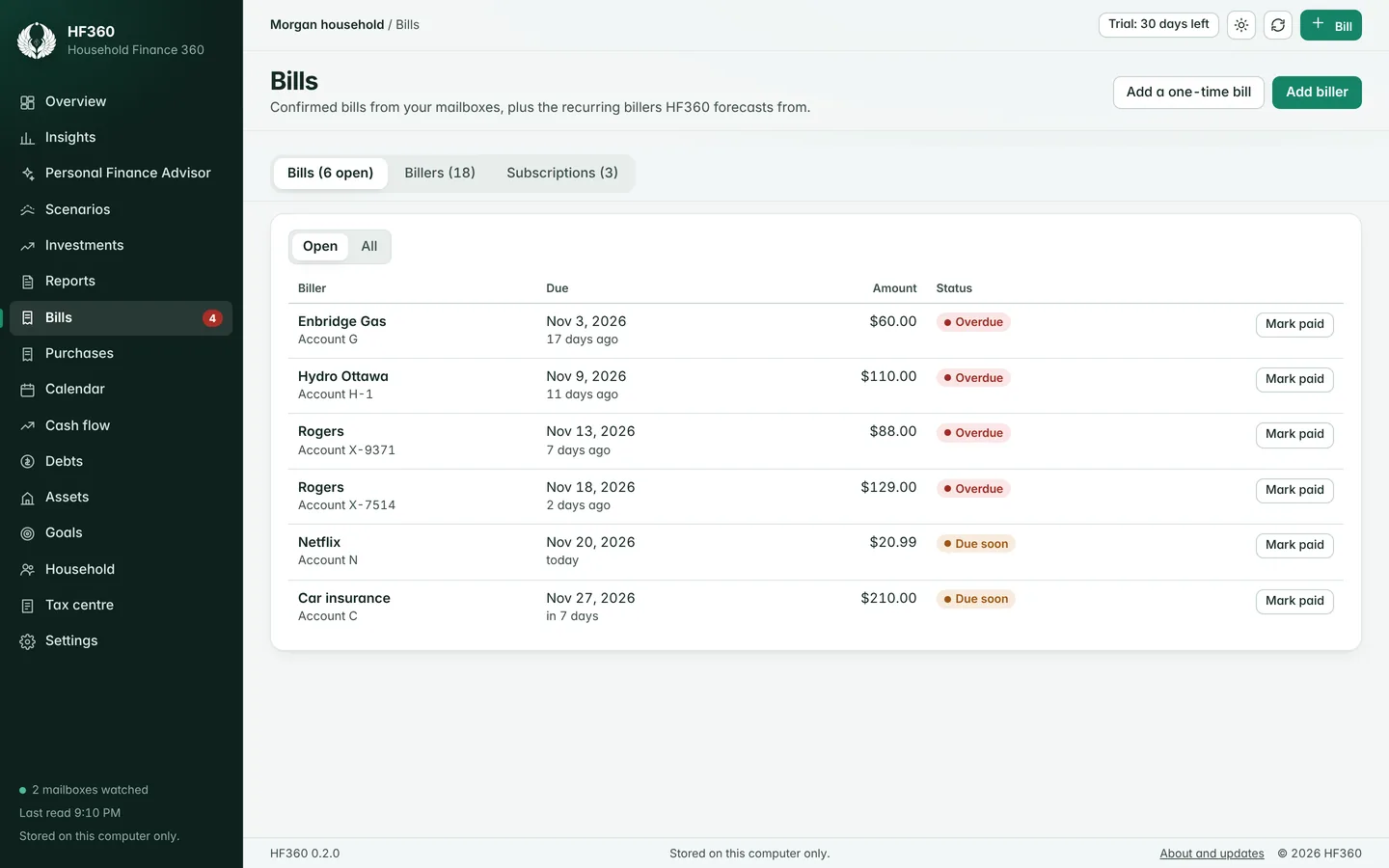
Know what is safe to spend
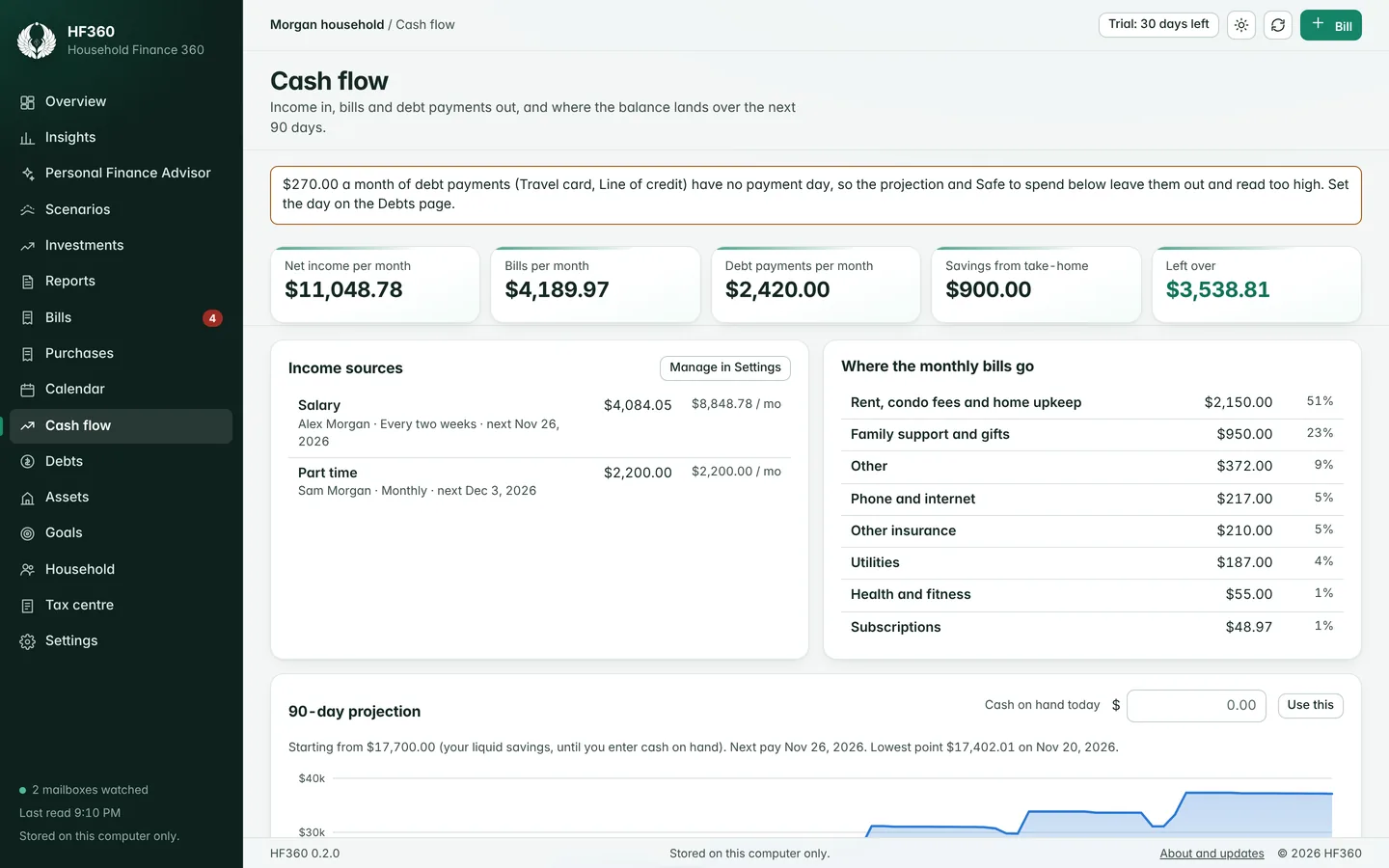
HF360 lays your pay days and your bills on one timeline and shows the lowest point your balance will reach. Safe to spend is what is left after every bill before your next pay.
Reminders arrive before a bill is due, and a bill that jumps in price is flagged for review.
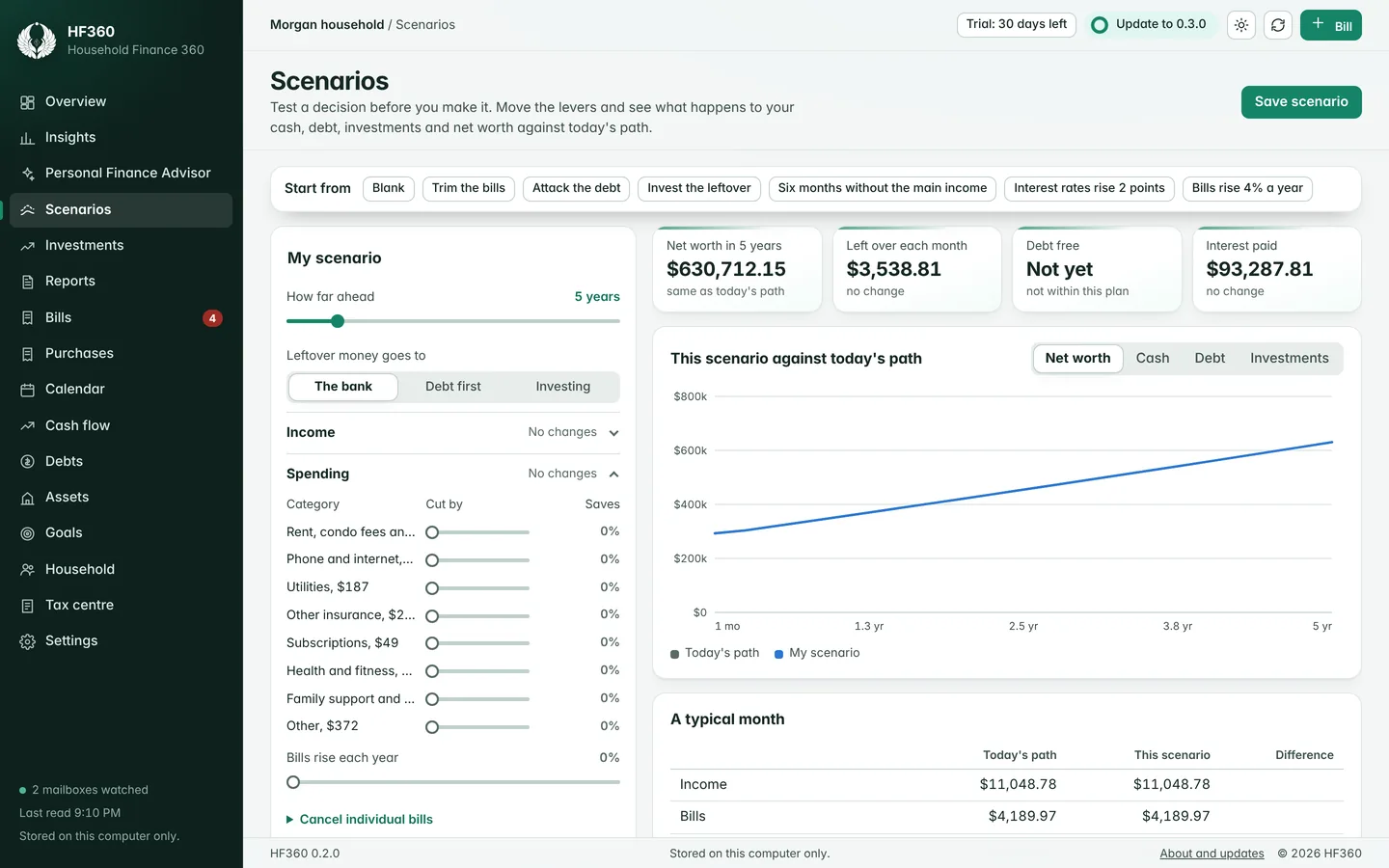
Debts, goals and what-if questions
See when each debt will be cleared and how much sooner an extra payment gets you there. Set goals with a date and HF360 turns them into a monthly amount.
Scenarios let you test a change before you make it, such as a job loss, a new loan or a bigger payment.
Tax papers ready when you file
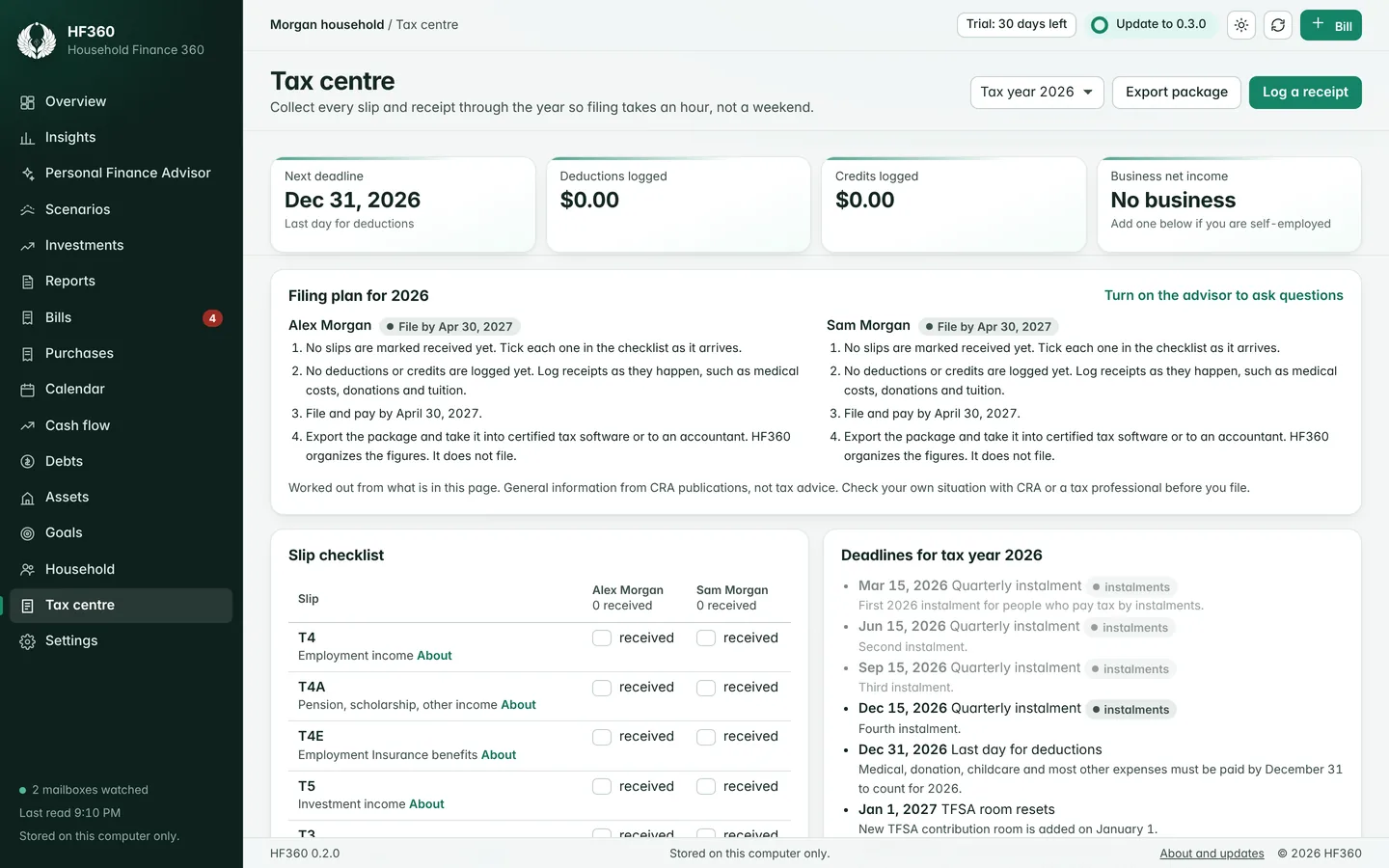
The Tax centre keeps a checklist of slips or tax forms for each person, the year's deadlines, and receipts sorted by the line they belong to. A small business is added up line by line on Form T2125 in Canada or Schedule C in the United States.
It organizes the figures for your tax software or accountant. It does not file a return, and it is not tax advice.
Also in the box
- Purchases from receiptsEmailed receipts are found and offered for review, so everyday spending counts beside the bills.
- Net worth and investmentsAccounts, property and debts in one statement, with fees, mix and a long-range projection.
- Take-home pay estimatesFor every province, territory and state. Rates update from published tables without a new version.
- A Personal Finance AdvisorAn AI advisor that runs on your computer and reads the same figures you see.
- Reports you can hand overNet worth, cash flow, spending and tax summaries, ready to print or save.
- Built for a householdEach person's income, bills, accounts and tax papers, with a view of the whole.
Private by design, not by promise.
There is no HF360 account and no HF360 server holding your data. We could not read your finances if we wanted to.
- Stored on your computerYour data is kept in a database on your own machine, encrypted with AES-256 before it is saved.
- Read-only mail accessHF360 cannot send, delete or change your mail. It keeps the figures from a bill and not the text of the email.
- An advisor that stays homeQuestions to the Advisor and the figures behind them are not sent to an outside AI service.
Try it for 30 days. Keep it with one payment.
Download HF360 and use every feature for 30 days. If it earns its place, buy a license key and enter it in the app. There is no subscription.
What happens when the 30 days end?
HF360 asks for a license key. Nothing is deleted. Your bills, purchases and settings are still there, and you can save all of it to a file whether or not you buy.
Is it a subscription?
No. You pay once for a license key. The key does not expire.
How many computers can I use it on?
One license covers one household on its own computers, for its own finances.
Does HF360 connect to my bank?
No. HF360 never asks for bank sign-in details. It reads bills and receipts from email, and you type account balances in yourself.
Which countries does it cover?
Canada and the United States. Pay estimates cover every province and territory and every state, and the Tax centre follows the country you choose.
Which email services work?
Gmail. Connecting a mailbox is optional, and every part of HF360 also works with bills typed in by hand.
What does the Personal Finance Advisor need?
It runs an AI model on your own computer, so it needs a download of a few gigabytes and a reasonably recent machine. HF360 suggests a model that suits your hardware. The rest of the app works without it.
Is the Mac version as tested as the Windows one?
The Mac version is new. It is signed and notarized by Apple, and it has had less use than the Windows version so far. If something does not work, write to us and we will fix it.

The checkout could not be opened just now. Nothing was charged. Please try again in a minute, or write to support@codesculpt.ca.
A license for your household. The price is shown at checkout.
- Every feature, on Windows and Mac
- For one household, on its own computers
- Updates delivered inside the app
- Your key appears on screen as soon as you pay
Payment is handled by Stripe. We never see your card details. See refunds and the terms of use.